
Generative AI for Customer Service: What It Actually Does
You hear generative AI everywhere. Your inbox is full of vendors promising magic. But what does it actually do for your support team day to day?
This guide gives you a clear answer. You will learn what generative AI changes in customer service, where it helps most, where it still needs a human, and how to start without breaking your customer experience.
Here is the promise: you will understand the real use cases, the limits, the setup checklist, and the metrics that tell you if it works.
What Generative AI Means in Support
Forget the hype for a minute. Think about your last busy Monday.
Tickets pile up. Three agents call in sick. Customers ask the same five questions in different words. That is where generative AI earns its place.
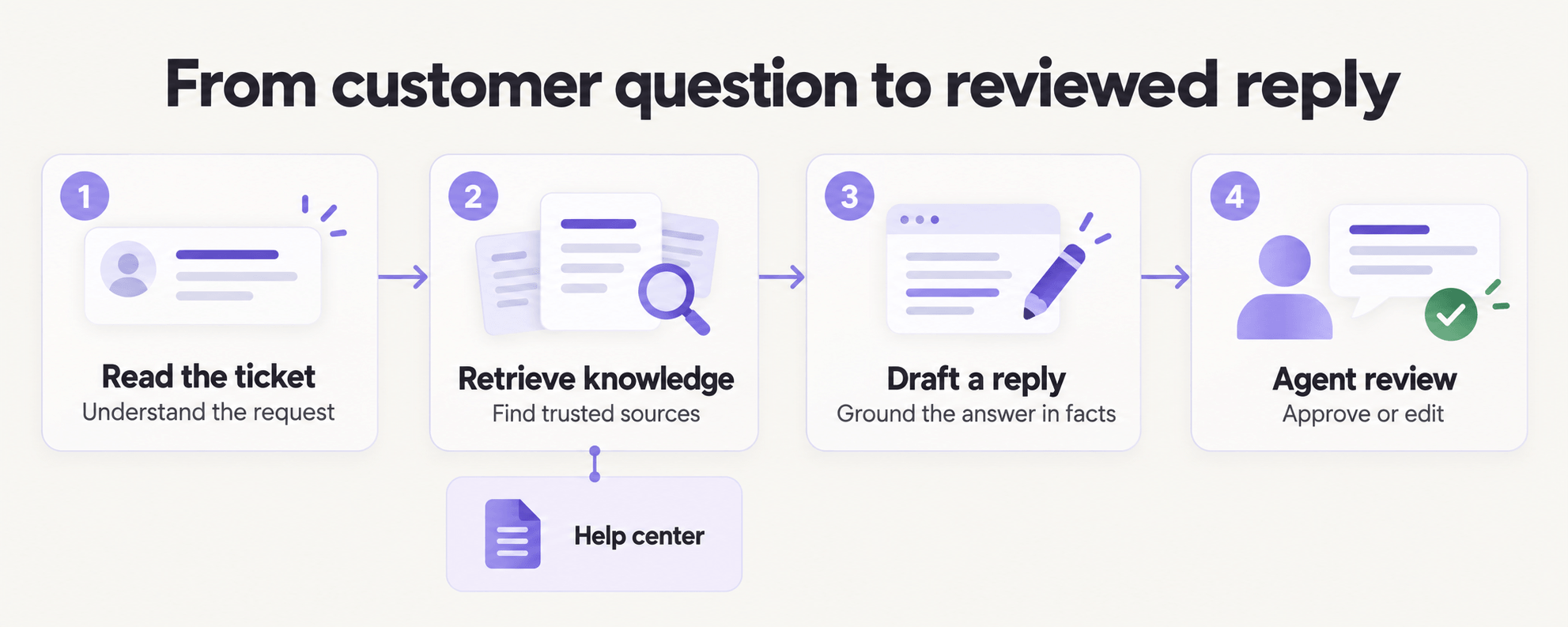
Generative AI in customer service means software that reads a customer message, understands intent, pulls from your knowledge base, and writes a natural answer in seconds. Not a rigid decision tree. It adapts wording, tone, and language to each conversation.
What changes: your team stops typing the same answer 200 times. They review, edit, and handle the tricky cases.
Why it matters: response time drops, consistency goes up, and your agents get time back for problems that need judgment.
How to use it: connect it to your help center, past tickets, and order system. Give it clear guardrails on what it can answer alone and what it must escalate.
Pro Tip: Start with one high-volume, low-risk intent like order status, returns, or password resets. You will see value in days, not months.
Dive deeper with your own help center audit. If an article does not exist, the AI cannot cite it.
The 5 Jobs It Does Best Right Now
You do not need 50 use cases. You need five that pay for the tool.
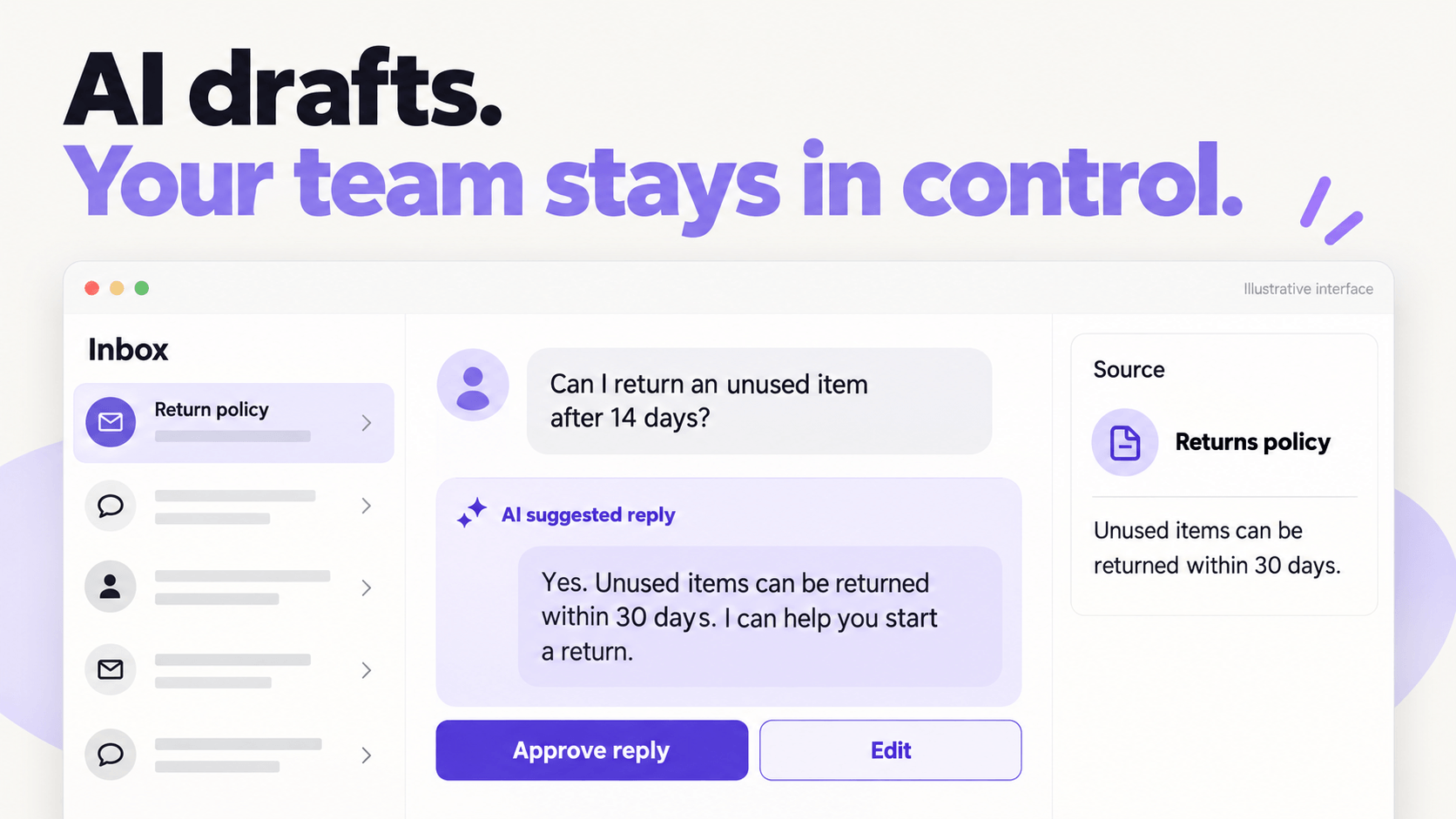
First, instant answers from your knowledge base. A customer asks about pricing, hours, or compatibility. The AI drafts a grounded answer with links. Your agent approves in one click.
Second, conversation summaries. After a long thread, you get a three-line recap plus next steps. No more scrolling to get up to speed on handoffs.
Third, tone and translation. It rewrites a rushed reply into a calm, clear message. It answers in the customer language while your agent works in theirs.
Fourth, agent assist during chat. While your agent types, it suggests the next step, the relevant macro, or the policy clause to quote.
Fifth, after-hours deflection. It resolves simple questions at 2am and creates a clean ticket with context for the morning shift.
| Job | What you save | Human check needed |
|---|---|---|
| FAQ answers | 30-60 seconds per ticket | Quick approve |
| Summaries | 3-5 minutes per handoff | Spot check |
| Tone and translation | Rewrites and bilingual hiring | Review for sensitive cases |
| Agent assist | Handle time, training time | Agent stays in control |
| After-hours cover | Missed chats | Morning review queue |
Pro Tip: Measure containment only on intents you explicitly approved for auto-answer. Everything else should count as assist, not deflection.
Where It Still Needs a Human
This is where many teams get burned. Generative AI sounds confident even when it is wrong.
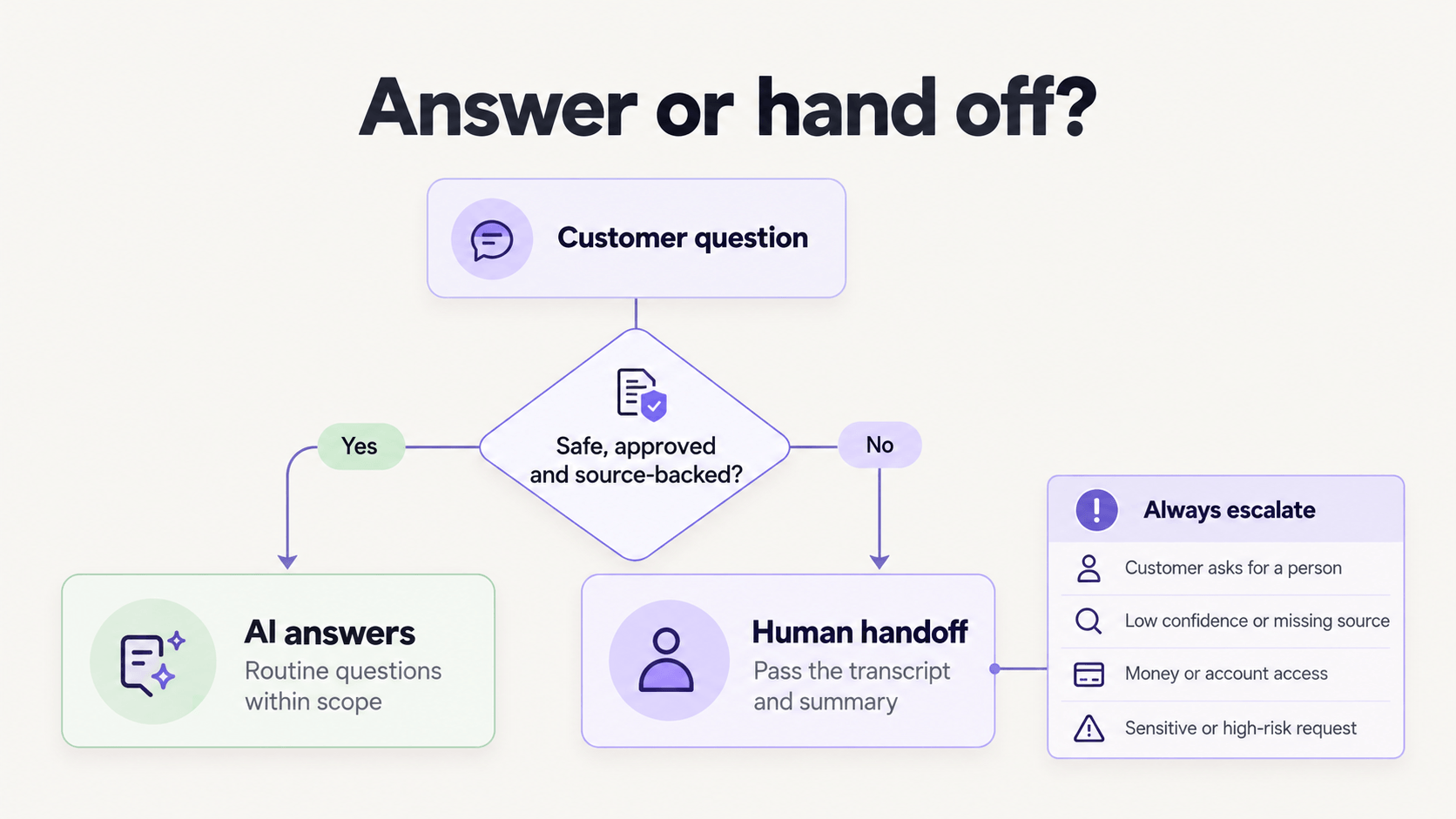
You need a human for refunds over your threshold, angry VIPs, legal or medical advice, account security changes, and anything not in your knowledge base.
What to do: build a clear escalation path. If confidence is low, if the customer says "talk to a person," or if money or access is involved, hand off with full context. No dead ends, no loops.
Why this works: customers accept AI help when the handoff is fast and warm. They churn when they feel trapped.
A simple rule your team can remember: AI drafts, humans decide on anything risky.
How to Set It Up Without the Mess
You can launch in a week if you keep scope tight.
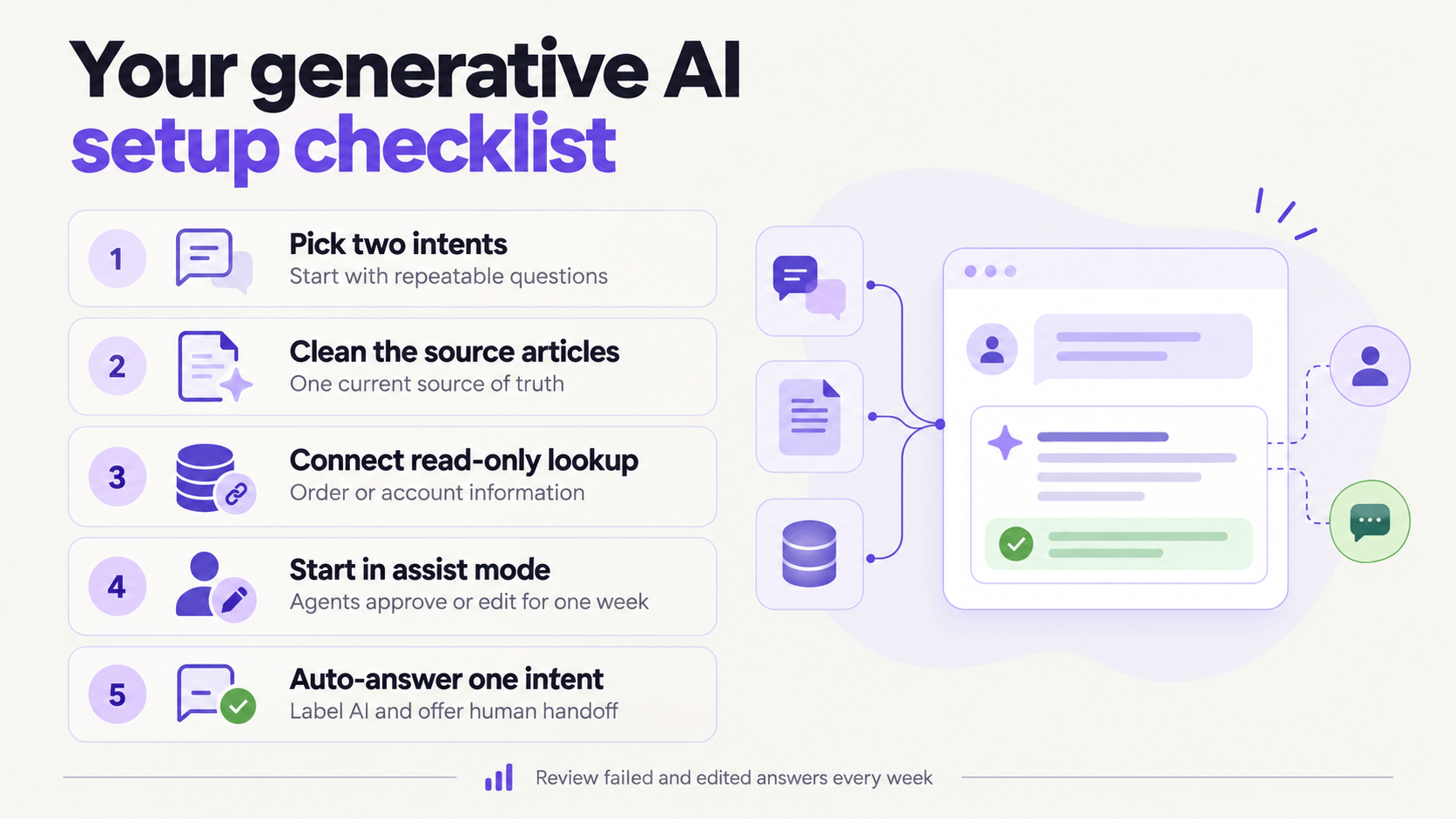
Step one: pick two intents. Good starters are shipping status and return policy. You have articles for them and volume to learn from.
Step two: clean those two articles. Short paragraphs, current dates, clear steps, one source of truth. The AI is only as good as what you feed it.
Step three: connect order lookup or account lookup read-only. Customers love "Where is my order?" answered with the actual tracking link, not a generic policy quote.
Step four: run in assist mode first. Let agents accept or edit for one week. Review edits daily. Fix the source article, not just the answer.
Step five: turn on auto-answer for one intent, with a visible "AI assistant" label and a one-tap human handoff.
Pro Tip: Keep a weekly 30-minute review. Look at edited answers, failed answers, and new questions. That list is your content roadmap.
How to Know If It Works
Do not trust vendor benchmarks. Benchmark yourself.
Track resolution rate on your pilot intents, average first response time, handle time, CSAT on AI-assisted tickets, and escalation rate. Compare two weeks before and after on the same intents.
A healthy start looks like this: faster first replies, flat or higher CSAT, and fewer touches per ticket. If CSAT drops while speed improves, your answers are fast but not helpful. Pause auto-answer and fix grounding.
Also track what the AI did not answer. That gap list tells you what article to write next.
Key Takeaway
Generative AI for customer service does three things well: it drafts accurate answers from your knowledge, it assists your agents in real time, and it covers simple questions after hours.
It does not replace judgment, empathy, or ownership of tricky cases. Your setup wins when AI drafts and humans decide.
Start with two intents, clean sources, assist mode first, then auto-answer one flow. Measure on your own tickets, not someone else numbers.
What is the one repetitive question your team would love to stop typing this month?