What works in conversational AI for customer service and how to start
Jedrzej Meder3 min read

Conversational AI for Customer Service: What Works, What to Avoid, How to Start
Your customers do not want to learn your menu tree. They want to type like they talk and get help.
That is the promise of conversational AI for customer service. This guide shows you where it helps, how it differs from old chatbots, and how to launch it without creating a frustrating loop.
You will learn the top use cases, the tech in plain terms, the rollout checklist, and how to measure success on your own tickets.
What Conversational AI Actually Is
Picture Friday afternoon. Your queue spikes. The same questions arrive phrased ten different ways.
Old bots needed exact keywords. Miss the phrase, get "Sorry, I did not understand." Conversational AI understands intent, keeps context across turns, and pulls answers from your knowledge base.
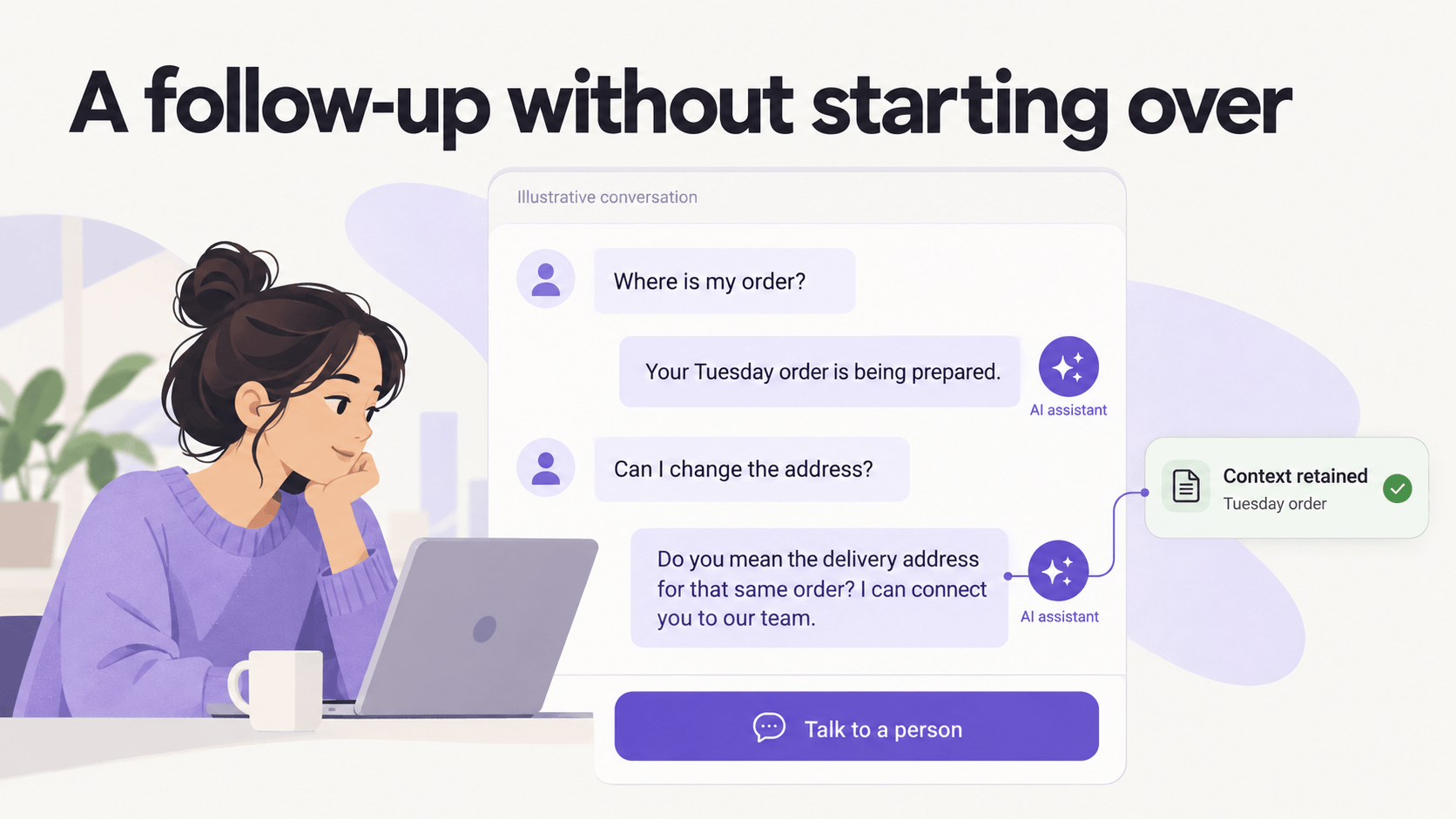
What changes: a customer can say "Where is my stuff?", then "Can I change the address?" and the assistant knows "stuff" means their Tuesday order.
Why it matters: fewer dead ends, faster resolution, less agent repetition.
How to use it: connect it to your help center, order status, and return flows. Define what it answers alone and what it hands to a human with full transcript.
Pro Tip: Start with two flows you already have articles for, like order tracking and returns. If the article is messy, the AI will be messy.
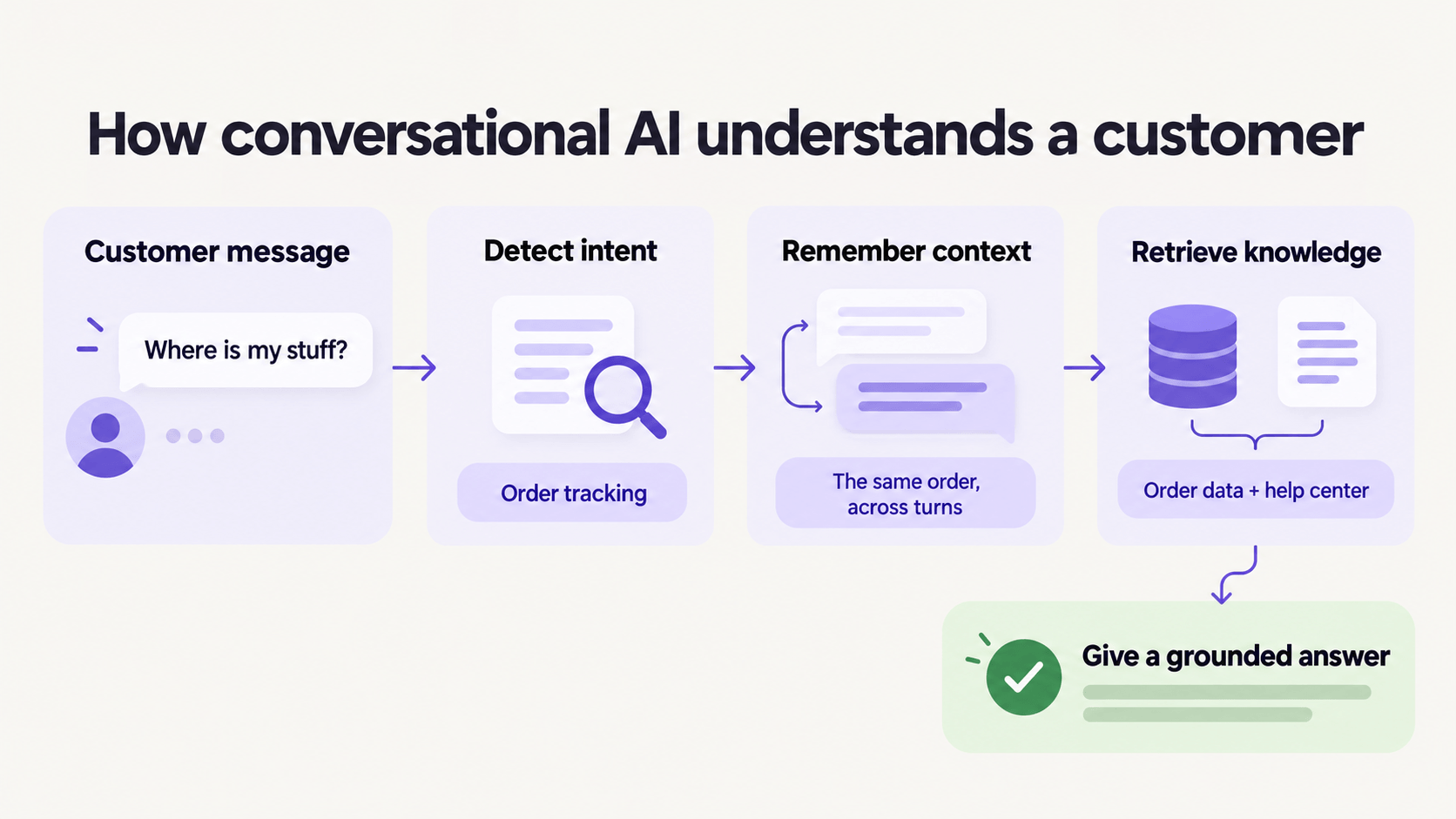
If an answer needs information you do not have in a clean article, write the article first.
Old Chatbot vs Conversational AI
You have seen the difference as a customer.
Rule-based bot: "Press 1 for orders, 2 for returns." One typo and you start over. It cannot handle "Actually, make that two items."
Conversational AI: understands synonyms, typos, follow-ups, and language switches. It asks a clarifying question when unsure instead of guessing.
| Rule bot | Conversational AI | |
|---|---|---|
| Understands phrasing variants | No | Yes |
| Remembers context | No | Yes, within session |
| Grounded in help center | Rarely | Yes, with links |
| Handoff with summary | No | Yes |
| Maintenance | Rewrite rules | Fix source content |
Pro Tip: If your vendor demo never shows a failed understanding, ask for it. How it fails tells you if you can trust it.
The 4 Use Cases Worth Launching First
Do not automate everything. Automate what repeats.
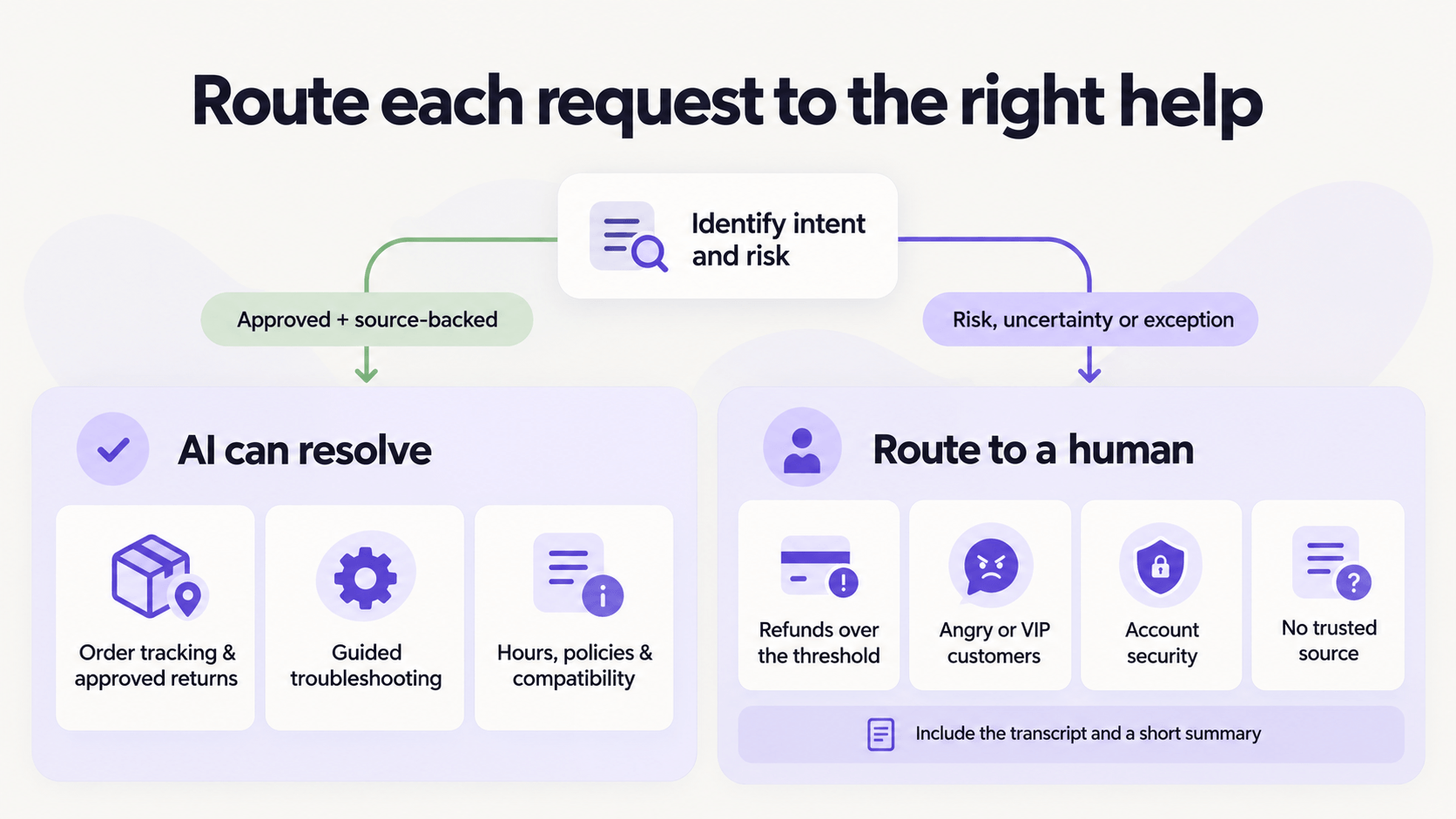
First, WISMO and returns. "Where is my order" with live tracking link, and "How do I return this" with label creation. High volume, clear success signal.
Second, troubleshooting with steps. Wi-Fi reset, app login, plan upgrade. The AI walks through steps and checks what worked.
Third, appointment and policy answers. Hours, pricing, compatibility, warranty. Grounded answers with links beat generic replies.
Fourth, triage and routing. It collects order number, issue type, and urgency, then routes to the right team with a summary. Your agents skip the intake ping-pong.
What to hold back: refunds over threshold, angry or VIP customers, account security, and anything without a source article.
How to Roll It Out in Two Weeks
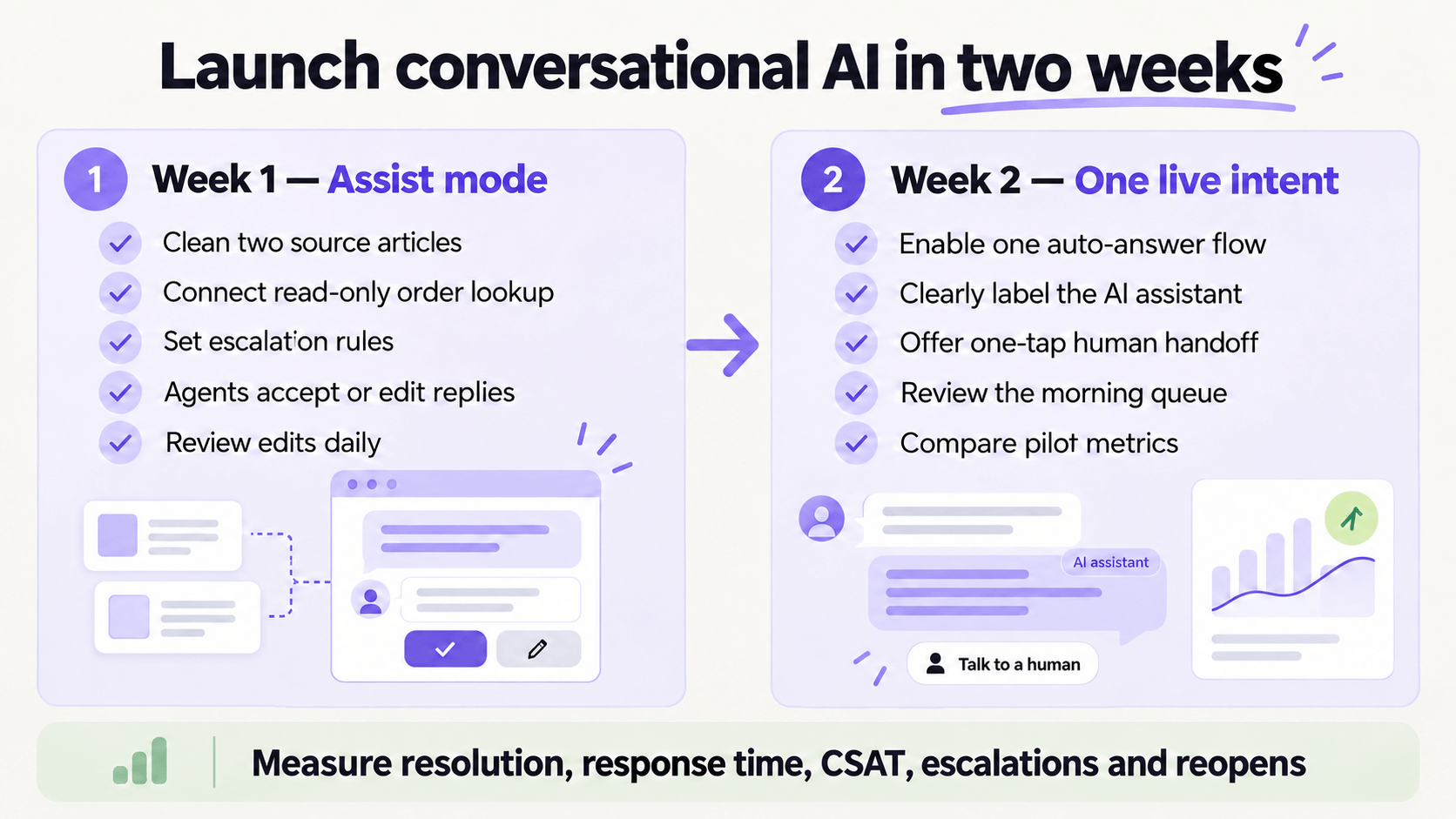
Week one is assist mode. The AI suggests replies, agents accept or edit. You review edits daily and fix the source articles.
Week two, turn on auto-answer for one intent only. Label it as AI, offer a one-tap "Talk to a person" button, and review the morning queue.
Your checklist: clean two articles, connect order lookup read-only, set confidence threshold for escalation, write handoff summary template, define your pilot metrics.
Pro Tip: Track edited answers. That edit list is your content backlog and your fastest quality win.
How to Measure It Honestly
Do not trust someone else numbers. Benchmark your own pilot intents.
Compare two weeks before and after: resolution rate on pilot intents, first response time, average handle time, CSAT on AI-touched tickets, escalation rate, and reopen rate.
Healthy looks like faster first reply, flat or up CSAT, fewer touches. If speed is up but CSAT drops, pause auto-answer. Your grounding needs work.
Keep a "not answered" list. Each item is either a new article to write or an intent to keep human-only.
Key Takeaway
Conversational AI for customer service works when it understands intent, remembers context, answers from clean sources, and hands off warmly when unsure.
Start with WISMO plus one more repeatable flow. Run assist first, then auto-answer one intent. Measure on your tickets, fix sources weekly.
Which two intents would save your team the most time if they were handled well tomorrow?