
AI Chatbot Pricing: How to Calculate the True Cost in 2026
AI chatbot pricing looks simple until you try to compare two quotes.
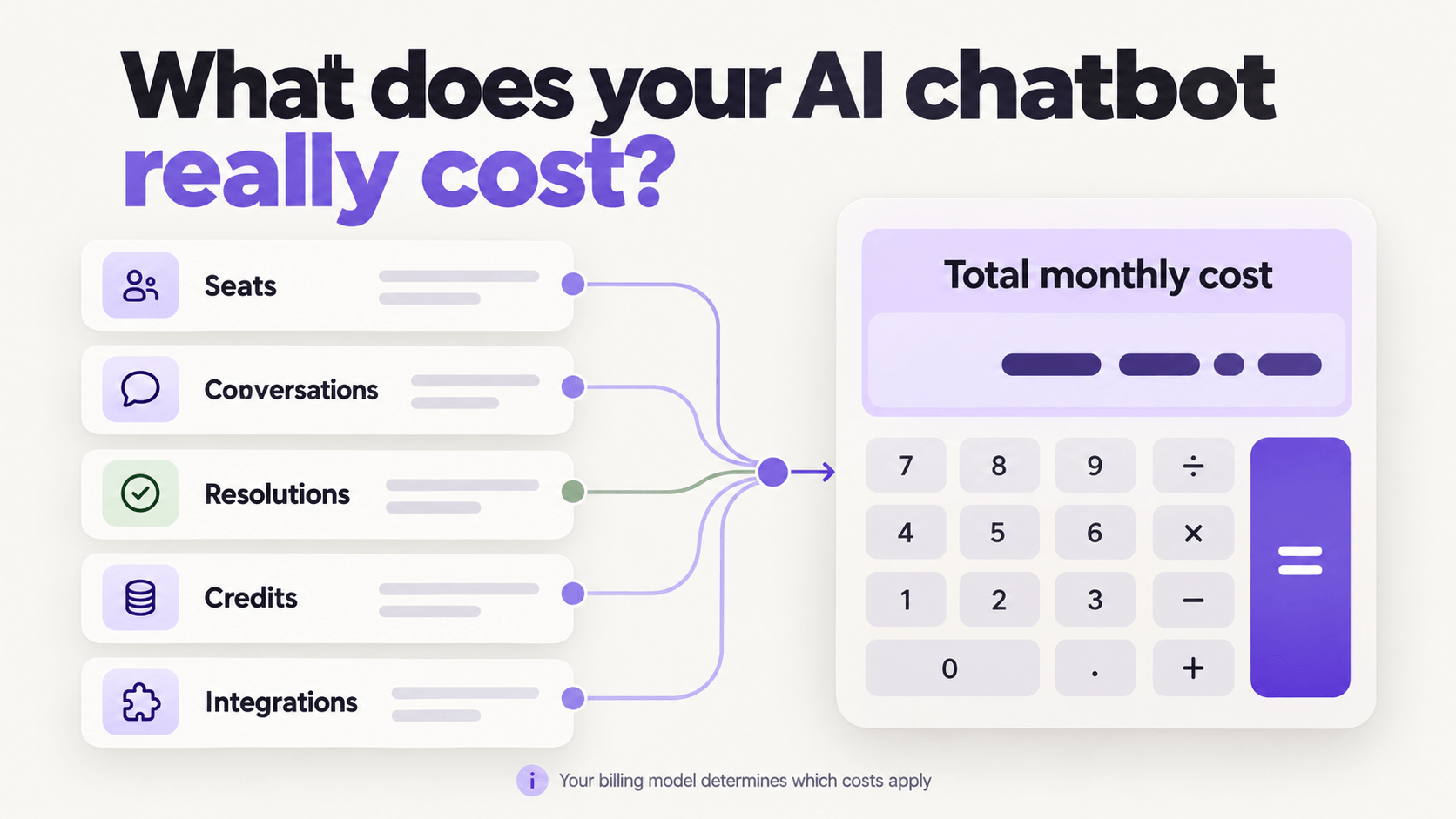
One vendor charges per seat. Another charges per conversation. A third charges only when the AI resolves an issue. Then come model usage, integrations, implementation, support, and overage fees.
This guide gives you a practical way to compare those offers. You will learn:
- the main AI chatbot pricing models
- which hidden costs to include
- how to estimate your monthly bill
- how to match a pricing model to your support operation
Why AI chatbot pricing is hard to compare
Two products can advertise a similar starting price and produce very different invoices.
The reason is the billing unit. You may pay for access, activity, successful outcomes, computing usage, or a mix of all four.
That difference matters because your support volume changes. A product that looks inexpensive during a quiet month can become costly during a launch, outage, or seasonal rush.
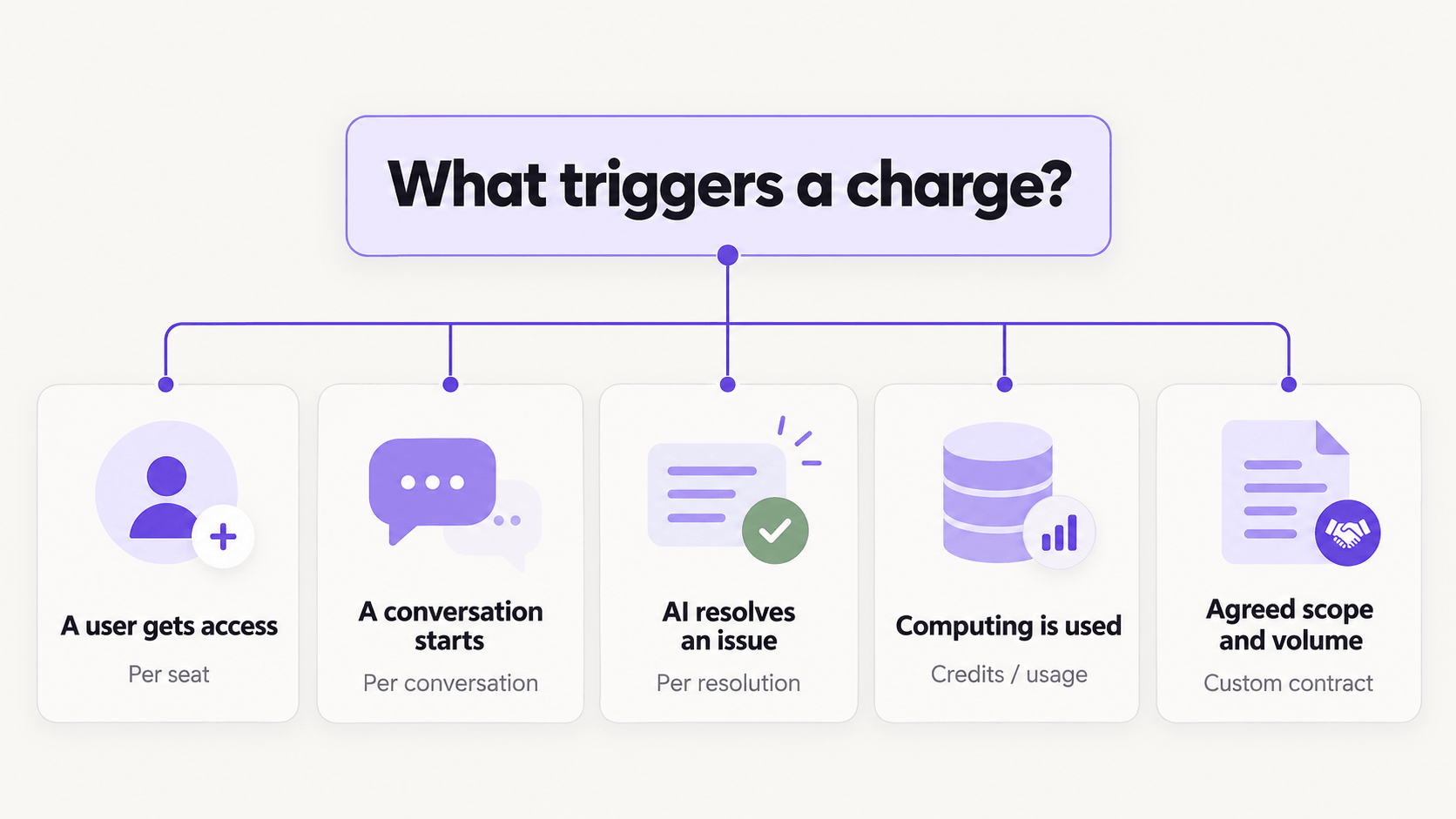
Before you compare vendors, ask one question: What event causes a charge?
It may be:
- adding a human agent
- starting a customer conversation
- sending or receiving a message
- resolving a conversation with AI
- consuming model credits or tokens
- calling an integration or external tool
- exceeding a monthly allowance
Pro Tip: Ask each vendor for a sample invoice based on your own monthly volume. A pricing page tells you the rate. A sample invoice shows you how the rules work together.
The main AI chatbot pricing models
Most offers use one model or combine several. Here is what each one means for your budget.
| Pricing model | What you pay for | Best fit | Main budget risk |
|---|---|---|---|
| Per seat | Each human or admin user | Teams with stable headcount | You may pay even when usage is low |
| Per conversation | Every customer conversation or session | Teams with predictable traffic | Unresolved contacts may still count |
| Per resolution | Issues the AI resolves | Teams focused on automation outcomes | Cost rises as automation succeeds |
| Credits or usage | Model calls, tokens, credits, or processing | Teams that want model flexibility | Complex requests may use more credits |
| Flat platform fee | Access to a fixed package | Teams that value simple forecasting | The package may include capacity you do not use |
| Custom enterprise contract | Negotiated usage, service, infrastructure, and commitments | Large or regulated operations | Scope changes can trigger extra fees |
Per-seat pricing
Per-seat pricing is easy to understand. Multiply the number of licensed users by the seat price.
But it can hide the relationship between cost and automation. If your AI handles more work while your human team shrinks, a seat-based bill may fall. If many people need occasional access, it may stay high even when chatbot usage is low.
Check whether administrators, analysts, reviewers, and temporary agents require paid seats.
Per-conversation pricing
This model charges when a customer starts a conversation or session.
It can work well when your traffic is stable. The key question is what counts as one conversation. A follow-up message might reopen the old conversation or start a new billable one.
Ask how the vendor treats spam, test chats, abandoned sessions, human handoffs, and repeat contacts.
Per-resolution pricing
You pay when the AI resolves an issue without human help.
This aligns the bill with an outcome, but you still need a clear definition of “resolved.” Does the customer confirm success? Does the vendor use a time window? Can a case be charged if the customer returns later?
Resolution pricing is easier to model when the vendor provides resolution definitions, dispute rules, and hard spending limits.
Credit-based or usage pricing
Credit pricing ties cost to the computing work behind each interaction.
Simple requests can use a lighter model. Complex requests can use a stronger one. This gives you more control, but the estimate depends on your ticket mix and model choices.
Lyro, for example, uses a wallet where $1 buys 1,000 credits. Its pricing page says credits are drawn down only when Lyro resolves a conversation, and different models consume credits at different rates. You can also set alerts and hard limits. Review the current details on the Lyro pricing page.
Pro Tip: Test a sample of your own historical tickets with the same models and tools you plan to use in production. Average cost per successful resolution is more useful than a list price alone.
The costs that do not fit in the headline price
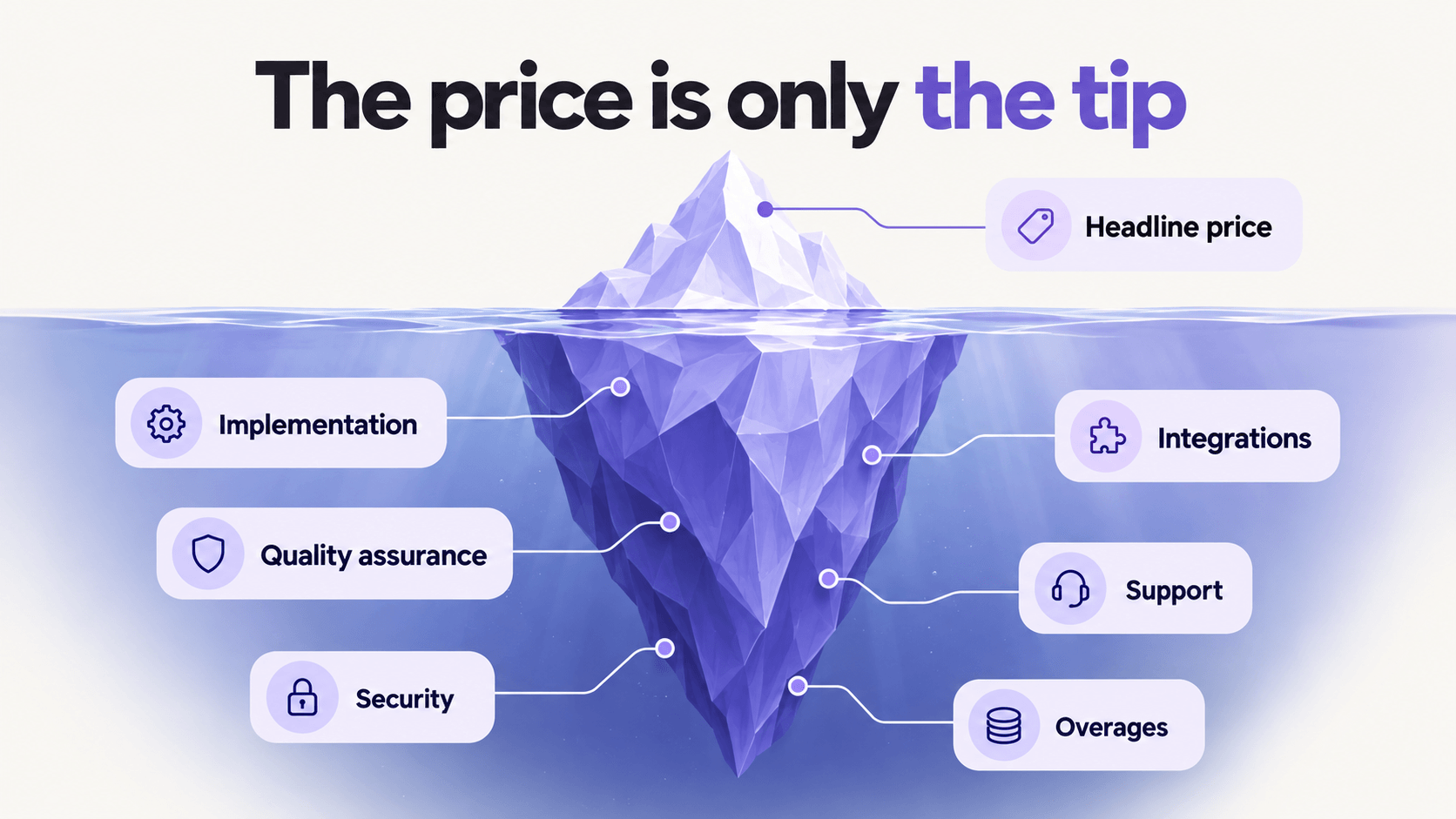
The license or usage rate is only one part of AI chatbot pricing.
Include these categories in your estimate:
- Implementation: setup, conversation design, knowledge cleanup, and initial testing.
- Integrations: helpdesk, CRM, order systems, billing tools, and custom APIs.
- Model usage: stronger models may cost more than lightweight models.
- Human operations: review, quality assurance, escalation design, and ongoing improvement.
- Support and services: onboarding, a customer success manager, engineering help, or a managed service.
- Infrastructure and security: private cloud, regional hosting, SSO, audit controls, and data requirements.
- Overages: extra conversations, resolutions, seats, storage, or tool calls.
- Switching costs: data migration, staff training, and rebuilding workflows.
A low subscription price can still lead to a high total cost if your team has to maintain the system every week.
The reverse is also true. A larger managed contract may cost more on paper but require less internal work. That tradeoff matters for support leaders who do not want to create a new bot-operations role.
How to calculate your true monthly cost
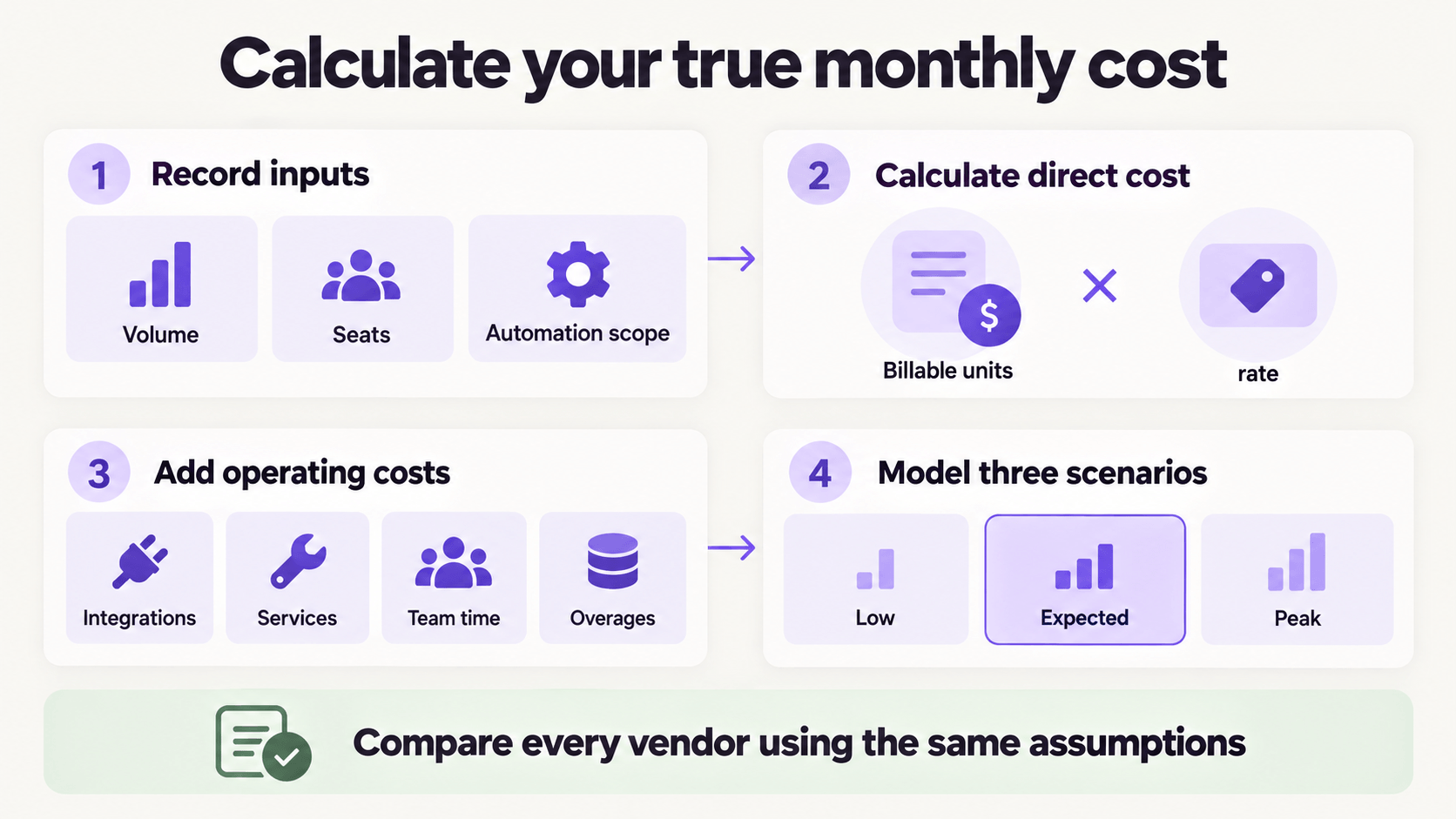
Use a simple worksheet instead of comparing starting prices.
Step 1: Record your operating inputs
Collect:
- monthly customer conversations
- expected seasonal peak
- current human support seats
- percentage of issues suitable for automation
- expected AI resolution rate from your own test
- share of conversations that require tools or integrations
- internal hours needed for review and improvement
Do not use a vendor’s best-case automation rate as your forecast. Test your own ticket mix.
Step 2: Calculate the direct monthly cost
Use the formula that matches the offer.
- Seat model: paid seats × monthly seat rate
- Conversation model: billable conversations × rate per conversation
- Resolution model: AI-resolved conversations × rate per resolution
- Credit model: credits consumed × cost per credit
- Hybrid model: platform fee + seats + usage + add-ons
Step 3: Add operating costs
Add recurring integration fees, managed-service fees, and internal labor.
A useful comparison formula is:
True monthly cost = direct vendor bill + integrations + services + internal operating time + expected overages
For internal time, multiply monthly maintenance hours by your team’s loaded hourly cost. Use the same method for every vendor.
Step 4: Model three scenarios
Build low, expected, and peak-volume cases.
The expected case tells you what a normal month may cost. The peak case reveals whether your billing model can handle a product launch or seasonal surge without a surprise.
Which pricing model fits your team?
The best model depends on how you operate.
Choose simple self-service pricing when speed matters
A lean support team usually needs fast setup, low maintenance, and a clear spending ceiling.
Look for a small commitment, straightforward limits, and the ability to test before moving live. Confirm that you can cap spending during traffic spikes.
Choose managed pricing when workflows are complex
A larger support operation may need AI to do more than answer FAQs. It may update a CRM, issue a refund, check an order, or route a case across teams.
In that situation, compare the cost of the service with the internal work it replaces. Ask who owns monitoring, testing, improvement, and incident response.
Choose enterprise pricing when control is non-negotiable
Private infrastructure, custom models, regional data requirements, auditability, and guaranteed service levels often require a custom contract.
Do not compare this offer only on cost per conversation. Include security review, operational readiness, engineering ownership, and the time needed to deploy changes safely.
Questions to ask before you sign
Bring this checklist to every pricing call:
- What exactly triggers a charge?
- What counts as a conversation or resolution?
- Are human handoffs billable?
- Are failed or reopened resolutions charged?
- Which features require paid add-ons?
- Are integrations or tool calls priced separately?
- Can different tasks use different AI models?
- Can you set alerts and a hard monthly cap?
- What happens during a seasonal volume spike?
- What support, setup, and quality review are included?
- Can you test pricing with your historical tickets?
- How do you export your data if you leave?
A clear vendor should be able to answer these questions in writing.
Key takeaway
AI chatbot pricing is not just a monthly rate. It is a set of rules that turns your team size, conversation volume, resolution rate, model choice, and operating work into a bill.
Start with your own support data. Compare the same low, expected, and peak scenarios across every vendor. Then include the work your team must do after the chatbot goes live.
Want to see how a credit-based, pay-for-resolution model works with your volume? Use the calculator on the Lyro pricing page, then test the assumptions with your own historical tickets.
Which AI chatbot pricing model gives your team the best balance of control, predictability, and results?
Sources
- Lyro pricing, accessed September 21, 2026